
PlayinMatch App Download — Free 31 MB File, One Permission Asked
Tap the download button below and a 31 MB PlayinMatch APK lands on your phone; it needs Android 8.0 or later and never comes through the Play Store. Let your browser install unknown apps once, and later updates reach you from inside the app. On an iPhone, pin PlayinMatch through Safari instead.
PlayinMatch Login Ready the Moment the New App Opens
Already hold a PlayinMatch ID? The same username and password work insde the downloaded app, so nothing needs registering twice.
PlayinMatch App Download APK Card — Latest Android Build in One Tap
Thirty-one megabytes. That is the entire PlayinMatch app download, and on a decent 4G signal in a city it is usually done before you have finished reading this paragraph (a patchy tower in a moving train is a different matter). What arrives is an APK, the package format Android installs, and it is built for phones running Android 8.0 or anything newer. Most handsets sold in India over the last several years clear that bar without you having to check.
Why a file from a web page and not a store listing? Google Play does not carry real-money betting exchanges for Indian users, so PlayinMatch hands out its Android app directly. Most sportsbooks here do the same. In practice that changes two small things: you tap a download button on a page rather than an Install button in a store, and your phone labels the PlayinMatch file as coming from an unknown source. That label sounds worse than it is. It is one switch, flipped once, and the permissions section below shows exactly where it lives.
Checking your Android version takes ten seconds: Settings, About phone, Android version (a few Xiaomi builds tuck it under Software information instead). Anything reading 8.0, 8.1, 9, 10 or higher will take the PlayinMatch APK. A handset still on 7.x will not; the installer throws a parsing error and gives up. For those phones the browser tab is the answer, and it runs on the same ID.
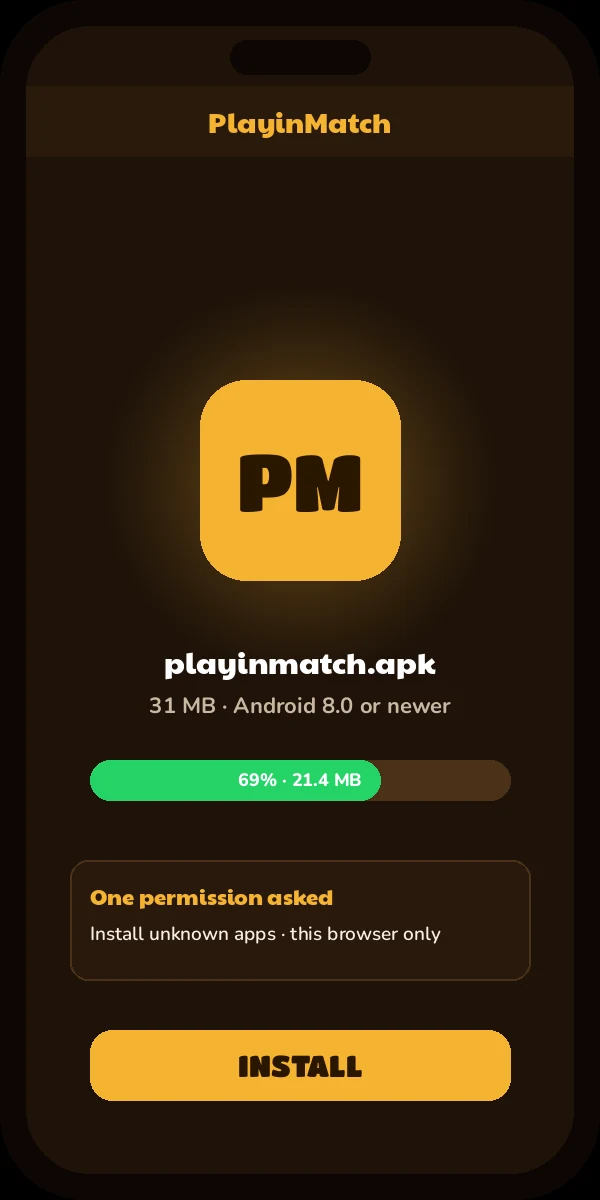
One button, one file. After the tap, the PlayinMatch APK drops into your Downloads folder and the notification shade tracks it up to roughly 31 MB. If the finished file reads much smaller then that, the transfer was cut short somewhere; delete it and fetch a fresh copy rather than trying to open a broken one.
Data cost is small, too. On a 1.5 GB-a-day prepaid pack the PlayinMatch download eats about two percent of the allowance.
Three signs you have the right file: the size sits near 31 MB, the install screen shows the PlayinMatch name, and the first thing it opens is the PlayinMatch login.
Not on Android at all? Skip ahead to the iPhone route. No file is involved there.
Get the 31 MB PlayinMatch APKA quick word on what the download is not. It is not a second account and not a separate PlayinMatch wallet. Think of the APK as a window onto the same ID you would use in a browser tab, so money you load on one shows up on the other. Once the PlayinMatch app is on your phone, what it actually does inside the lobby is laid out on the PlayinMatch app features page; this page stays with the file itself.
PlayinMatch Download APK in Five Easy Taps
From the download button to the login screen is five taps on most phones. Prompt wording shifts a little between Samsung, Xiaomi, Vivo, Realme and stock Android, so treat these as landmarks, not a script.
- Press Get the 31 MB PlayinMatch APK in the card above and leave this tab open while it runs. If a line pops up about the file type, answer Download anyway; Chrome says it about every package fetched from a web page.
- Watch the progress bar in the the notification shade until it reaches about 31 MB. On home Wi-Fi this is seconds. On weak mobile data, a minute or two.
- Tap the finished PlayinMatch file. If it is the first APK you have ever opened from that browser, Android jumps to a settings screen and asks you to allow it.
- The package screen should name PlayinMatch and list no contacts or SMS access, which is your cue the file is the right one. Install, then Open. A Play Protect scan can slot in between; it is over in a few seconds.
- Enter your PlayinMatch username and password. No ID yet? You can request a PlayinMatch ID over chat in a couple of messages and come straight back.
That is the short version. The full PlayinMatch install order, including what to do when an older copy is already sitting on the phone, has its own page, and it is worth a look if you are replacing a build from months ago.
How Long the 31 MB PlayinMatch Download Really Takes
Some rough arithmetic helps here. Thirty-one megabytes is about 248 megabits, so the wait is simply that number divided by your connection speed.
- Home Wi-Fi at 50 Mbps: around 5 seconds.
- A normal indoor 4G reading of 10 Mbps: close to 25 seconds.
- A crowded tower at 2 Mbps, say in a stadium car park after a match: a little over two minutes.
If the PlayinMatch download bar has not moved at all for several minutes, it has stalled rather than slowed. Cancel and restart; waiting longer rarely rescues it.
When the PlayinMatch Download Fails — Real Error Messages, Easy Fixes
Five messages cover nearly every PlayinMatch install that goes wrong, and none of them means the account itself has a problem.
| Message on screen | Usual cause | What to do |
|---|---|---|
| File might be harmful | Chrome's standard warning for any direct APK | Carry on with the download; a 31 MB file near the expected size is the one you asked for |
| There was a problem parsing the package | File cut short, or the phone runs Android 7 or older | Delete it, download again on steady Wi-Fi, and check Settings, About phone, Android version |
| App not installed | A leftover PlayinMatch build from some other source, or a phone with almost no room left | Uninstall the leftover (money lives on the account, not the phone), clear space, then retry |
| Blocked by Play Protect | Google's scanner has no store record for the file | Open More details, then Install anyway |
| Install blocked, with a Settings shortcut on the prompt | Chrome or Files has not been cleared to open packages yet | Follow the shortcut, flip the switch, press back once and the PlayinMatch install carries on from where it stopped |
Storage catches more people than you would expect. An install unpacks to more than the 31 MB it downloads as, so a phone with barely any free space can fail even after the PlayinMatch file arrived in full. Clear a few old videos and try again.
Still stuck? Screenshot the exact message and send it to the desk. A picture of the error gets sorted far quicker than a description of it.
PlayinMatch Download Permission — One Free Toggle, Set Once
Older guides talk about an Unknown sources switch buried in security settings. That switch is gone. Since Android 8.0, the same version the PlayinMatch app needs, the permission is called Install unknown apps, and it is handed to one app at a time instead of the whole phone.
Here is the part people miss. You do not give the permission to PlayinMatch. You give it to whatever opened the file: Chrome in most cases, sometimes the Files app, occasionally a second browser like Firefox or Samsung Internet. That is why the prompt names your browser rather than the PlayinMatch APK.
Android usually walks you to the right screen by itself the first time. If it does not, the switch sits roughly here:
- Stock Android and Motorola: Settings, Apps, Special app access, Install unknown apps, then your browser, then Allow from this source.
- Samsung One UI: Settings, Apps, the three-dot menu, Special access, Install unknown apps.
- Xiaomi, Redmi and Poco: Settings, Privacy protection or Apps, Special permissions, Install unknown apps.
- Vivo, Oppo and Realme: search Settings for unknown apps; the menu path varies too much between builds to list.
So what else does the PlayinMatch download ask for? During the install itself, nothing. There is no request for contacts, SMS, call logs or location. On Android 13 and newer you may see the ordinary notification prompt that every freshly installed app triggers, and saying no to it does not stop the PlayinMatch lobby from working; you simply miss the alerts.
Can you switch the browser permission off again afterwards? Yes, and its a sensible habit. One catch: the first time the app updates itself, some phones ask for the same Install unknown apps permission once more, this time for PlayinMatch as the source. Same toggle, same screen. After that it stays quiet.
Switch greyed out and refusing to move? Chances are the phone is managed by an employer or a school, through a work profile or a device policy that blocks installs from outside the store. Nothing on your side overrides that. Use a personal handset for PlayinMatch, or stay in the browser.
No data on the phone that needs the app? Download the PlayinMatch APK on a laptop or a second phone and move it across by USB cable or Nearby Share. On the receiving phone, Install unknown apps then goes to the Files app instead of Chrome, since Files is what opens the package. Send the file directly if you can. Passing it through a chat app sometimes renames or trims attachments, and the installer then refuses a file that looked fine.
PlayinMatch App Updates Land Inside the App — Latest Build, No Re-Download
Downloading the file is a one-time job. When a newer PlayinMatch build is ready, the app shows an update prompt as it opens; tap Update, wait for the new package to come down, confirm the install, and the new version lays itself over the old one. Username, password, balance, open bets, all of it stays, because none of it lives on the handset in the first place.
Two things tend to go wrong. First, deleting the app to do a clean reinstall: unnecessary, and it only means typing your login again. Second, ignoring the prompt for weeks on end. Older builds keep running for a while, probaly, but what happens to them over time is a policy question the PlayinMatch APK old-version notes cover in detail.
Missed the prompt, or dismissed it by accident? Close PlayinMatch fully, swipe it away from recent apps, not just back out, and open it again. PlayinMatch checks for updates at launch, so a restart brings the prompt back.
Want to know which PlayinMatch build you are on? Long-press the icon, open App info, and scroll to the bottom; Android lists the version number there. It is handy when the desk asks, and it takes less time than describing the screen.
Deleted the app to install the update fresh, then spent ten minutes hunting through old chats for my password. Next time I just tapped Update and it was done before the kettle boiled.
One more small point. If an update ever fails halfway, you are back in the error table above; the causes are the same, storage first, network second. Nothing about the PlayinMatch account is affected by a failed update.
The same goes for removing the app completely. Uninstalling PlayinMatch clears the file and its cached data from the phone and nothing else; the ID, the balance and your bet history are waiting the next time you log in, on this phone or any other.
PlayinMatch on iPhone — Quick Safari Home Screen Shortcut, No File Needed
Apple keeps iPhones out of the Android file business entirely, so on iOS a PlayinMatch download means something else: a Safari bookmark placed on the home screen that opens straight to the login. Four taps set it up. For daily play it feels close enough to an app that most people forget it is a shortcut, and anything online selling a PlayinMatch file for iOS should be ignored outright.
- Open Safari and load the PlayinMatch site. Safari specifically; it is the browser that handles this most reliably.
- Find Share in the Safari toolbar (bottom edge on iPhone, top right on iPad) and open the sheet.
- Scroll the share sheet and pick Add to Home Screen.
- Keep the name as PlayinMatch or shorten it, then tap Add.
The new icon sits with your other apps and opens straight to the PlayinMatch login. Same ID, same balance, same markets as the Android download. Nothing to update either: the shortcut always loads the current site, which is one small advantage the iPhone route has over the file.
Chrome and other iOS browses have added a similar option in recent iOS versions. It is hit-or-miss, though, and on older iPhones it simply is not there. Safari is the dependable path. If the icon ever opens to a login screen that looks unfamiliar, the PlayinMatch login help page shows which fields to expect.
Switching phones phones? An Android user moving to an iPhone, or the other way round, loses nothing. Log in on the new device with the old details and the account is exactly where you left it.
To remove the shortcut later, long-press the PlayinMatch icon and choose Delete Bookmark or Remove from Home Screen, depending on the iOS version. Your account is untouched either way.
PlayinMatch Download Searches Sorted Into Real Answers
PlayinMatch App Download APK and Plain PlayinMatch Download Mean One File
Four search phrases end at the same 31 MB Android package, built for Android 8.0 and up. Wording differs because people type what they remember, not because PlayinMatch keeps several builds.
- playinmatch app download: typed mostly by people who already hold an ID and want PlayinMatch on the home screen; the button above answers it.
- playinmatch app download apk: adding the three letters changes nothing, so it resolves to the 31 MB build for Android 8.0 and newer.
- playinmatch download: usually typed by someone who wants the app rather than the browser site; same package again.
- playinmatch download apk: the Android phrasing again, and it points at the 31 MB file this page hands out.
PlayinMatch Com Mobile Download and the iPhone Route
A playinmatch com mobile download search normally comes from someone on the mobile address who wants the file for a phone; the APK is the same one offered here, and the account behind it does not change with the address. Picking the right route takes three quick checks.
- Android 8.0 or newer: take the 31 MB PlayinMatch APK.
- Android 7 or older: play PlayinMatch in the browser with the same ID.
- iPhone or iPad: add PlayinMatch to the home screen from Safari.
- playinmatch app download
- playinmatch app download apk
- playinmatch download
- playinmatch download apk
- playinmatch com mobile download
- playinmatch apk 31 mb
- playinmatch app for android 8
- playinmatch app iphone safari
- playinmatch app update
- playinmatch download link
- playinmatch app kaise download kare
Quick PlayinMatch App Download Answers Before You Tap
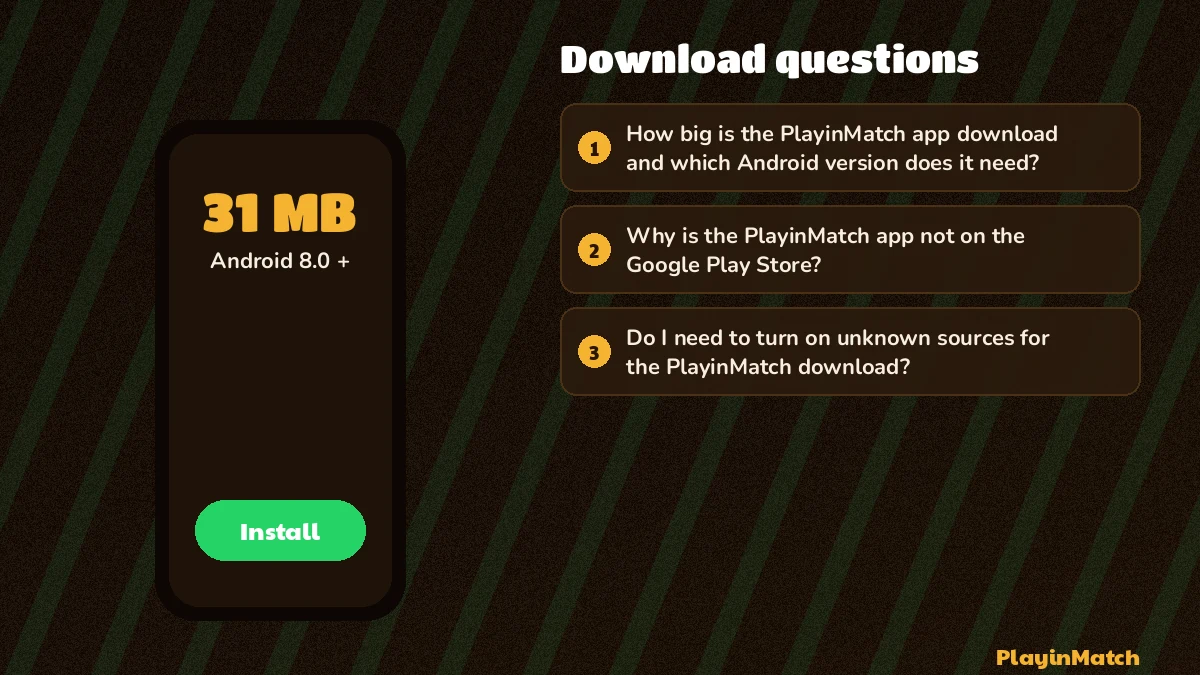
How big is the PlayinMatch app download and which Android version does it need?
The PlayinMatch app download is a 31 MB APK that installs on Android 8.0 or any newer version. Phones on Android 7 or older cannot open the file, so those users should play through a browser tab instead, using the same ID and the same balance.
Why is the PlayinMatch app not on the Google Play Store?
Store rules keep real-money betting exchanges off Google Play in India, so the PlayinMatch app is handed out as a 31 MB file from this page instead. That is a store policy and says nothing about the file itself. Any Play listing using the PlayinMatch name is therefore not from PlayinMatch.
Do I need to turn on unknown sources for the PlayinMatch download?
Yes, once. On Android 8.0 and newer the setting is called Install unknown apps, and you grant it to the browser that downloaded the PlayinMatch APK, usually Chrome. Android opens that screen for you on the first install, and you can switch it off again afterwards.
How do I update the PlayinMatch app after installing it?
You update from inside the app. When PlayinMatch has a newer build, a prompt appears as the app opens; tap Update and the new version installs over the old one with your login and balance untouched. There is no need to delete the app or download the file again.
Can I download the PlayinMatch app on an iPhone?
Not as a file, because APKs only run on Android. On an iPhone, open PlayinMatch in Safari, tap Share, then Add to Home Screen. The icon it creates opens the site directly, and you log in with the same PlayinMatch ID you would use on an Android phone.
Is PlayinMatch download apk different from the PlayinMatch app download?
No, both searches lead to the same thing. PlayinMatch download apk and PlayinMatch app download describe one 31 MB Android file, and APK is simply the file format Android installs. There is no second, lighter or separate build hiding behind either wording.
Why is my PlayinMatch download stuck at 99%?
A PlayinMatch download that stalls at 99% usually means the browser lost its connection or ran short of storage while finishing. Cancel it, delete the partial file from Downloads, free some space, move to stable Wi-Fi and download again. Turning off data saver for Chrome also helps.