
PlayinMatch Withdrawal Time — Real 45-90 Minute Payouts, ₹1,000 Floor
PlayinMatch withdrawal time on a normal day sits inside a 45-to-90-minute window, counted from the moment you press submit, for both UPI and bank transfers made out in your own name. Three requests a day are allowed, ₹1,000 is the floor on each, and the sections below trace the usual causes when the clock passes 90 minutes.


PlayinMatch Login Before a Same-Day Withdrawal
The payout clock only starts once you submit from a signed-in wallet, so sign in first and confirm the receiving account carries your ID name.
PlayinMatch Withdrawal Time in India: the Real 45-90 Minute Window
Forty-five minutes at the quick end. Ninety at the slow end. That is the PlayinMatch withdrawal time for nearly nearly every request, and it holds whether the money is headed to a UPI ID or a bank account, whether you ask at lunch or late on a T20 night.
The window has three stages. Your request goes into the PlayinMatch queue and the amount leaves your playable balance. A person on the desk then checks it: the receiving name against the name on your ID, the amount against the ₹1,000 floor, and how many requests you have already made that day. Last comes the transfer, which travels over ordinary Indian banking rails and lands as a normal credit in your account.
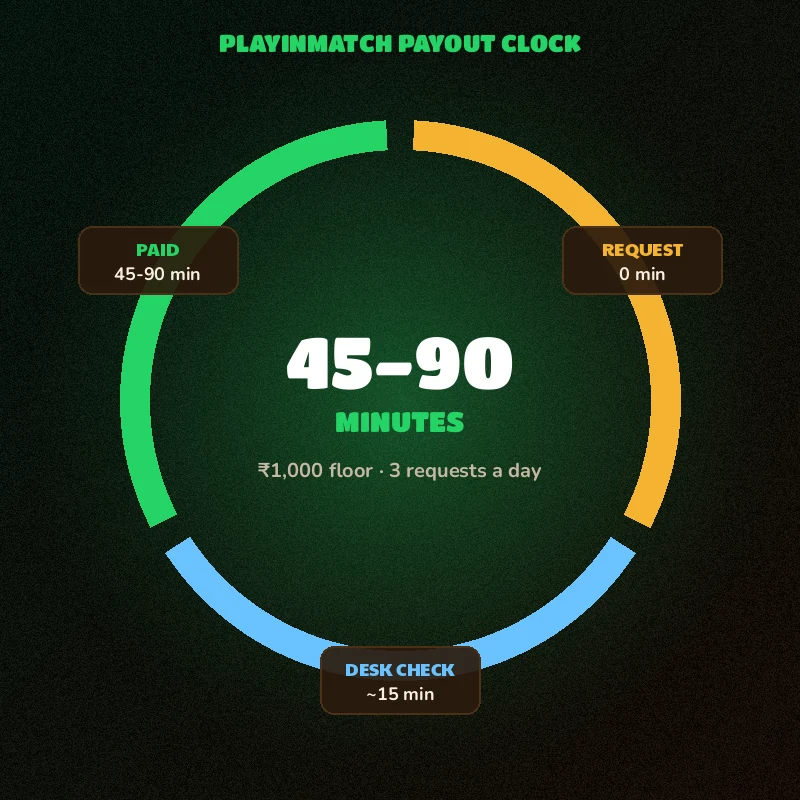
Why a range, and not one neat number? Because the check step is done by people rather than a script. A queue that builds up right after a big finish, when half the exchange wants its winnings at once, takes longer to clear than a quiet Tuesday afternoon. The bank leg varies a little too. Where inside the window any single PlayinMatch payout will fall is hard to say in advance, and we would rather quote 45-90 and have you pleasantly surprised then quote 45 and have you refreshing your bank app at minute 50.
How the Three PlayinMatch Payout Stages Show Up for You
- Request
- The amount comes off your PlayinMatch playable balance the moment you submit. You cannot stake it on the exchange or the casino floor while it waits, which is also why a pending request is easy to spot.
- Check
- The longest and least predictable stage. The desk matches names, confirms the floor and the daily count, and looks at the request against your account history. A clean request passes quickly; a mismatched name stops here.
- Paid
- PlayinMatch sends the transfer and marks the request done. From this point the timing belongs to the receiving bank or UPI app, usually a matter of minutes.
UPI or bank account, then? For timing it barely matters, since both use the same PlayinMatch queue. The practical difference is on your end. A UPI ID is quicker to type correctly and quicker to check against your name, while a bank account needs the account number and IFSC right to the last digit. People who switch banks often find UPI less fiddly; people with a single long-standing salary account tend to stay with that. Either is fine. Pick the one whose name you are sure of.
All times here are Indian Standard Time and they run from the moment you press submit. Not from when you logged in, not from when the match settled. One more small thing. Bank SMS alerts sometimes trail the actual credit by a few minutes, so the balance inside your banking app is better proof than the SMS inbox.
Easy PlayinMatch Withdrawal Steps, From Balance to Bank Credit
Six steps. Two of them happen before you go anywhere near the withdrawal form, and those two prevent most of the trouble described further down this page.
- Sign in through the PlayinMatch login screen on the phone you normally use. A new device asks for an OTP first, which costs a minute, not an hour.
- Look at your available balance. It needs to be ₹1,000 or more, and stake still riding on an open exchange market is not available balance until that market settles.
- Open the payout details and look hard at the name. UPI handle or bank number plus IFSC, it has to belong to the same person whose name sits on the PlayinMatch ID, spelling included.
- Type the amount. Anything from ₹1,000 upward is accepted, as long as your balance covers it.
- Submit, and write down the time. The PlayinMatch clock starts here and nowhere else.
- Leave it alone for 90 minutes. Cancelling and sending again uses another of your three daily requests and probably puts you back at the end of the queue.
That last step is the one people break. The urge to cancel and retry at minute 40 is strong, especially after a good win, but a retried PlayinMatch request is a new request with a new clock.
- Floor per request
- ₹1,000. Smaller amounts will not submit.
- Requests per day
- Three. A fourth has to wait for the next day.
- Receiving account
- Bank or UPI in the same name as the PlayinMatch ID. A spouse's UPI or a brother's account does not qualify.
- Payout window
- 45 to 90 minutes from submission, IST.
- Extra check
- KYC is added once your total withdrawals pass ₹50,000; the is PlayinMatch safe breakdown explains why.
- Who can withdraw
- Adult account holders, 18+, playing from a state where this kind of play is allowed.
The same-name rule deserves one more line, because it catches people who never expected it to apply to them. An old joint account where your name is second, a UPI handle registered on a parent's number, a salary account opened under a slightly different spelling: each of those can fail the name check. Five minutes spent confirming the exact name on the account before you submit is cheaper than a rejected PlayinMatch withdrawal and a lost daily slot.
Planning Around the PlayinMatch Three-a-Day Cap
Three requests sounds sounds like plenty until a good day and a bad plan meet. Say you are up ₹4,500 after an afternoon on the exchange. Take ₹3,000 out at 4 pm and you still have two requests left for the evening; win another ₹2,500 on the night game and a second request covers it, leaving one spare for anything that goes wrong. Now run the same day the other way: ₹1,000 out, then ₹1,200, then ₹1,500, and by 8 pm you are locked until tomorrow with money you wanted in the bank.
The simple fix is to batch. One larger PlayinMatch withdrawal is quicker overall than three small ones, because each small one waits through its own 45 to 90 minutes. Keep at least one request in reserve for the rejection case, since a fixed and resent request uses a fresh slot.
PlayinMatch Withdrawal Problem Today? A Quick Router for Five Symptoms
Find the line that matches what you see on the the screen. Each one gives the usual cause first, then the move to make. If two lines seem to fit, start with the highr one.
- Pending, under 90 minutesNothing is wrong yet. The PlayinMatch request is inside its normal window.Wait. A chat at this point joins the same queue your request is already in.
- Pending, past 90 minutesLate. Something paused it, usually at the check stage.Message the desk with username, amount and exact submit time so they can find where it stopped.
- Rejected or reversedMost often a name that does not match the PlayinMatch ID, or an amount under the floor.Check whether the amount is back in your wallet, fix the receiving account, then submit again. That counts as a new request.
- Form will not accept itEither the amount is below ₹1,000 or you have already used three requests today.Raise the amount, or wait until tomorrow for a fresh set of three.
- Shows successful, bank shows nothingThe payout has left PlayinMatch; the gap is on the receiving side.Read the section just below before doing anything else.
What about a PlayinMatch withdrawal problem today that seems to hit everyone at once? It happens, usually on nights when a big match finishes and a large share of the exchange asks for money within the same half hour. The queue gets long, the check stage slows, and payouts drift toward the 90-minute end. Nothing is broken on those nights. It is volume. If you can wait twenty minutes after the final ball before you submit, you will probably join a shorter line, though nobody can promise that.
Cashed out after the evening match, saw pending, panicked at the forty-minute mark and nearly hit cancel. Left it. The credit came through at about an hour and ten. The only thing a cancel would have done was cost me a second request.
PlayinMatch Withdrawal Successful but Not Received
This one feels the worst and is usually the simplest. Successful means PlayinMatch has already sent the money. UPI apps sometimes lag behind the bank's own ledger, so open the bank app or the statement itself instead of trusting the UPI notification list.
Still nothing there? Ask the desk for the transfer reference (banks usually call it the UTR) and quote it to your bank's support line. With that number, a bank can trace a credit. Without it, they mostly can't.
And do not send a second request just to be safe. If the first one lands an hour later, you will have used two of your three daily slots on a single payout, and the second amount will sit in the queue for nothing.
PlayinMatch Deposit Problem Today — Quick Checks on a Late Credit
Deposits run on a shorter clock than payouts. The PlayinMatch minimum is ₹300, sent by UPI, IMPS or bank transfer, and it normally shows in your wallet 10 to 20 minutes after you pay.
So the first check is simply the time. Under 20 minutes, a PlayinMatch deposit is not late, even if it feels late because a match is about to start. Over 20 minutes, it is worth a message. Include your username, the amount, and the UPI or IMPS reference number your payment app shows on the success screen; that reference is how the desk ties a payment on the bank side to your ID on the PlayinMatch side.
What to Keep From a PlayinMatch Deposit Payment
Before you close the payment app, take one screenshot of the success screen. It should show the amount, the date and time, and a reference number. For UPI that reference is the 12-digit transaction number; for IMPS it is the reference the bank prints on the confirmation; for a net-banking transfer, the transaction ID in your bank statement does the same job. Any one of those lets the PlayinMatch desk locate a payment within a minute or two. A photo of the wallet balance, on the other hand, proves nothing about where the money went.
If you paid from a bank account in someone else's name (a parent helping with a first deposit, for example), mention it upfront. It is not the end of the world on the deposit side, but it matters later, because the PlayinMatch payout can only go back to an account in your name.
A related habit that saves time later: pay in from an account in your own name. Withdrawals can only go to a same-name account, so the account you deposit from is usually the one you will want your winnings sent back to. New to the site and still waiting on an ID? The two-message sign-up, and the referral code terms, sit on the join PlayinMatch page.
Deposit late and withdrawal late on the same day happens. Send them as two separate PlayinMatch chats, each with its own details. A single message that mixes both takes longer to untangle than two short ones.
PlayinMatch Withdrawal Problem Telegram Line — Real Replies From the Desk
PlayinMatch answers payout questions on two channels, the WhatsApp desk and a Telegram line, and first replies usually come in under 4 minutes. The full contact list, with the unblock and complaint routes, lives on the PlayinMatch customer care 24/7 page.
Which one should you use? Whichever you already have open. Neither channel moves a request up the queue. What does speed things up is a first message complete enough that nobody has to ask you a follow-up question. Something like this:
Username: your PlayinMatch username · Amount: ₹2,500 · Submitted: 9:10 pm · Receiving: UPI ending in the last four characters · Status on screen: pending
Four facts and a status. That is enough for the desk to find the request, and it cuts out the back-and-forth that eats twenty minutes on a busy evening.
After you send it, the desk replies, looks the request up, and tells you which stage it is sitting at. If it is inside the window, you will be told to wait; that is a real answer, not a brush-off. If the check stage flagged something (a name, a KYC step once you are past ₹50,000 in total payouts), you will be told exactly what to fix. Keep the same chat open until the PlayinMatch payout lands. Starting a new conversation on the other channel mid-way only means somebody has to read the whole story again.
One caution, kept short. Type PlayinMatch into Telegram search and some of what comes back is not the desk at all. Reach Telegram through the link on the PlayinMatch customer care page and nowhere else. The people who handle your payout want a username and request details. A password or login OTP is never part of that, so a chat asking for either is someone else, whatever name and picture it wears.
Quick PlayinMatch Withdrawal Answers by Search Phrase
PlayinMatch withdrawal time in India
The playinmatch withdrawal time is a band, not a promise to the minute: 45 to 90 minutes, counted in IST from the second you submit. That same band is the answer for playinmatch withdrawal time in India on every rail. A playinmatch withdrawal needs ₹1,000 at least, one same-name account, and a free slot among your three for the day.
PlayinMatch withdrawal problem today
- A playinmatch withdrawal problem inside 90 minutes is usually no problem at all; wait out the window.
- For a playinmatch withdrawal problem today past 90 minutes, message the desk with username, amount and submit time.
- The playinmatch withdrawal problem telegram line and the WhatsApp desk both take payout questions, so pick one channel and send a complete first message.
PlayinMatch deposit problem today
A playinmatch deposit problem today is almost always timing: the ₹300 minimum by UPI, IMPS or bank credits in 10 to 20 minutes. Past 20, send the payment reference to the PlayinMatch desk and do not pay a second time.
- playinmatch withdrawal time today
- playinmatch withdrawal reddit
- playinmatch withdrawal limit
- playinmatch withdrawal problem telegram
- playinmatch withdrawal time in india
- playinmatch withdrawal problem today
- playinmatch deposit problem today
- playinmatch se paise kaise nikale
- playinmatch withdrawal kitne time me aata hai
- playinmatch payout pending
- playinmatch withdrawal successful but not received
Quick PlayinMatch Payout Questions From Real Requests
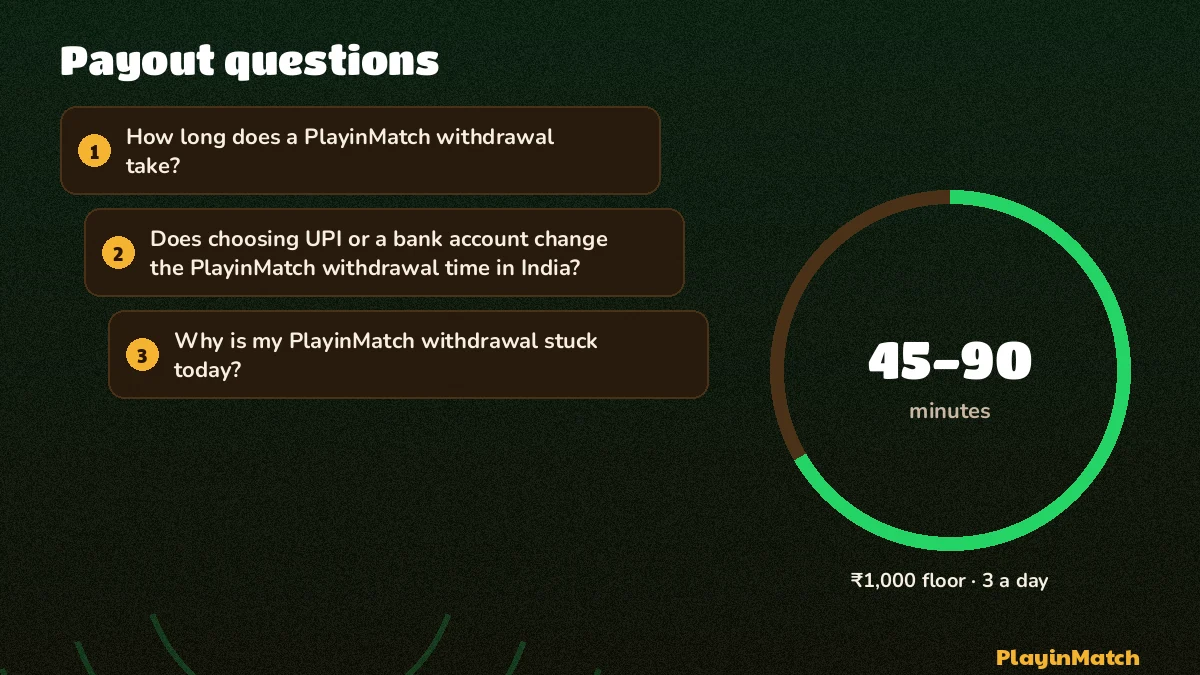
How long does a PlayinMatch withdrawal take?
A PlayinMatch withdrawal usually reaches your account 45 to 90 minutes after you submit it. The clock starts at submission, not at login, and covers the desk check plus the bank transfer. If 90 minutes pass with no credit, message the desk with the request time and the amount.
Does choosing UPI or a bank account change the PlayinMatch withdrawal time in India?
It is the same 45 to 90 minutes for both. PlayinMatch runs UPI and bank requests through one queue, so the method you pick decides only how the money travels once it is sent. Any extra wait after that point comes from the receiving bank, not from the PlayinMatch desk.
Why is my PlayinMatch withdrawal stuck today?
A PlayinMatch payout is usually not stuck at all if fewer than 90 minutes have passed since you submitted. Past that point, look for a receiving account in a different name, an amount below ₹1,000 or a fourth request in one day, then message the desk with the submit time.
My PlayinMatch withdrawal shows successful but the money has not arrived. What now?
Check the bank statement itself, then ask the PlayinMatch desk for the transfer reference and give it to your bank. Successful means the payout has left PlayinMatch, so any remaining delay sits with the receiving bank or UPI app. Do not submit a second request while you wait.
What is the PlayinMatch withdrawal limit per request and per day?
The PlayinMatch minimum withdrawal is ₹1,000 per request, and you can place three withdrawal requests in one day. Payouts go only to a bank account or UPI ID in the same name as the ID. Once your total withdrawals cross ₹50,000, a KYC check is added.
What should I do about a PlayinMatch deposit problem today?
First check the clock: PlayinMatch deposits start at ₹300 and normally credit within 10 to 20 minutes. If 20 minutes pass, send the desk your username, the amount and the UPI or IMPS reference from your payment app so the payment can be matched to your ID.
Is there a PlayinMatch Telegram line for withdrawal problems?
Yes, PlayinMatch takes withdrawal problems on Telegram as well as on the WhatsApp desk, and first replies usually arrive in under 4 minutes. Use the link on the customer care page. Send your username, amount and request time, and never share your password or a login OTP.